
Brat PNG Guide: How to Make Transparent Brat Text Images
A brat PNG is the most useful file in the whole aesthetic. One transparent text image can live on your profile picture, your thumbnail, your header, and your merch mockup without ever looking out of place. No background to clash, no box around the words, just raw brat text floating exactly where you want it. This guide shows you how to create brat PNGs with transparent backgrounds in seconds, free, with nothing to install.
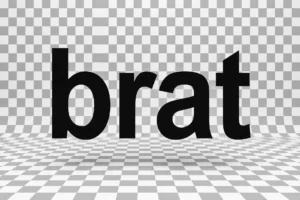
What Exactly Is a Brat PNG?
PNG is an image format that supports transparency, which means parts of the image can be see-through. A brat PNG is simply brat-style text saved in that format, so the background disappears and only the words remain. Drop it onto any photo, video, or design and it blends in like it was always there.
This is what makes it so useful. A regular image with a white or green box around the text only works on matching backgrounds. A transparent PNG works everywhere. That flexibility is why creators keep a folder of brat PNGs ready for every post.
How to Create a Brat PNG in Seconds
You do not need Photoshop or any design app. A free font generator does the whole job in your browser.
Type your text. Open the brat font generator and type your word or phrase. Short and lowercase, as always. One to five words is ideal.
Style it. Pick a font, set colors, adjust size and spacing. For a transparent PNG, what matters most is the text itself, since the background will go away.
Remove the background. Set the background to transparent where the tool allows it. Otherwise download with a solid color and strip it in any free background remover. Many creators make the text first, then remove the background in a second quick step.
Download the PNG. Hit download and save the high resolution file. It is ready to use anywhere immediately.
Getting a Clean Transparent Background
The trick is separating text from background cleanly. If your generator offers a transparent export option, use it. That gives the sharpest edges with zero halos around the letters.
No transparent option? Download with a solid bright background, then run it through a free background remover. It takes ten seconds and the results are surprisingly clean for bold text like this.
Check your edges before using it. Zoom in on the downloaded PNG and look for leftover background fringes around the letters. If you see any, redo the removal with a tighter setting. Clean edges are the difference between professional and amateur.
Smart Ways to Use Transparent Brat Text
Thumbnails and headers first. A brat PNG on a YouTube thumbnail or header grabs attention without covering the whole image. It is also perfect for brat memes that need text over any picture. The fastest way to brand any visual.
Then overlays and merch. Layer transparent text over photos, videos, or product mockups. Creators use them for stickers, cover art, and announcement graphics. One PNG, endless placements. Make yours with the free brat generator in seconds.
Brat PNG vs JPG: Which Should You Use?
Use PNG whenever transparency matters. If the background needs to disappear, PNG is the only choice of the two. JPG files cannot hold transparency, so they always come with a solid background box.
Use JPG only for full photos where transparency is irrelevant. A JPG of a finished design with a fixed background loads faster and takes less space. But the moment you want that text floating over something else, JPG stops working.
For brat text, PNG wins almost every time. Text graphics are small files anyway, so the size advantage of JPG barely matters. Keep your brat text as PNG and you will never be stuck with an ugly white box.